# Everything you need to know when creating
##### Feel free to search for specific topics in this page: Use Ctrl + F for example
---
#### **First of all**
1. The AnatomyArchive is **English only** as of right now.
2. You need to have an account for creating a page. You can register [here](https://www.anatomyarchive.org/register)
3. You should be familiar with the [Terms of Use](https://www.anatomyarchive.org/books/about-the-anatomyarchive/page/terms-of-use "Terms of Use"), because the pages you create are free to use\* for other people.
#### **The Basics**
4\. Let‘s say you want to create a page—here are the first steps:
You go to **Shelves** (top right corner). You choose the **shelve -> book -> chapter** that is suitable for your page. Create a new page. There should be a template visible for you automatically—from here on out you are guided through the process of creating a full page.
If anything you need is missing [contact me](https://www.anatomyarchive.org/books/about-the-anatomyarchive/page/contact "Contact").
5\. For the heading: Include your artist name in brackets and use the official latin name (**Terminologia Anatomica)** for the page heading if possible. Example: Musculus trapezius (xlas)
6\. I want every artist to have freedom in how he/she wants to create a page for the AnatomyArchive. Stay close to the templates, so that all pages are readable, but don't be shy to alter small things.
7. Look at the two example pages [Musculus trapezius](https://www.anatomyarchive.org/books/upper-body-dorsal/page/musculus-trapezius-las "Musculus trapezius (xlas)") and [Musculus rectus abdominis](https://www.anatomyarchive.org/books/upper-body-ventral/page/musculus-rectus-abdominis-las "Musculus rectus abdominis (xlas)") for reference. Feel free to copy from them.
#### **Also Important**
8\. You can save a page as a draft, close the site and work on it later. However, if you publish a page and it is not finished yet -> add the tag "not final" (you can add tags on the right hand side in the page editor) and write this somewhere:
not final
9. Turn on shortcuts, makes your life easier. You can find them in [My Account](https://www.anatomyarchive.org/my-account/shortcuts).
10\. Avoid using/drawing explicit content as much as you can -> I don't want to age restrict the site, if possible.
#### **The Drawings**
11\.
- You can technically use any image size you want, but I would **recommend staying below 500 KB per image** for the sake of SEO
- For digital art I liked 1500x1000px and saving it as a JPG instead of PNG, you can do whatever you want though
- The **minimum width however is 350px** so that the image fills the whole mobile width
- Avoid putting 2 pictures beside each other (it causes bugs sometimes)
- If possible draw on grey background, so that its appealing in both dark and white mode
- Here is a color sheet for some important colors, in case you want to use them (you don't have to)
[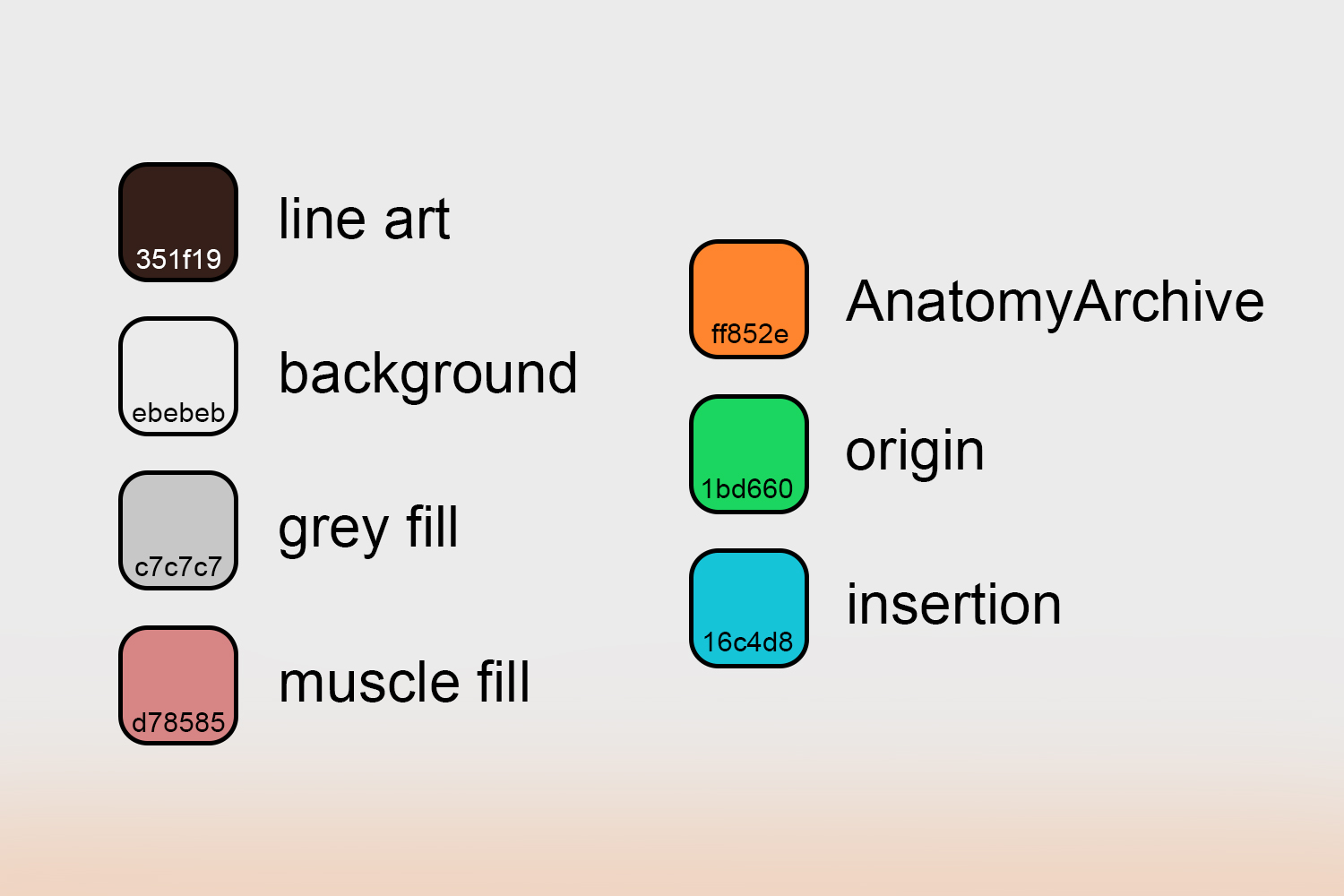](https://www.anatomyarchive.org/uploads/images/gallery/2025-04/color-sheet.jpg "color sheet")
**If you have questions about any of this ->** [**contact me please**](https://www.anatomyarchive.org/books/about-the-anatomyarchive/page/contact "Contact")