# Complex Pages Explained
#### **Complex Pages are an option to post more complete anatomy studies.**
Connect Text with Drawings (paintings, 3D sculptures, ...)
---
#####
Choose one of the current **Shelves** to create your own Complex Page (You need an [account](https://www.anatomyarchive.org/register "register"))
Just test out the website, by creating a page right now. **Nobody can see your drafts except you.**
#### [**Upper Body**](https://www.anatomyarchive.org/shelves/upper-body "Upper Body")
#### [**Lower Body**](https://www.anatomyarchive.org/shelves/lower-body "Lower Body")
#### [**Various**](https://www.anatomyarchive.org/shelves/various "Various")
How it works (in 2 Steps)I would recommend to watch the [intro video](https://www.anatomyarchive.org/link/71#bkmrk-the-basics-in-under- "AnatomyArchive basics") (5 minutes)
##### **The Template**
After creating a page you'll automatically get a **template** to help you out.
You can follow the guide or **do it your own way** and go offroad. Up to youSee all available templates [here](https://www.anatomyarchive.org/books/templates "Templates")
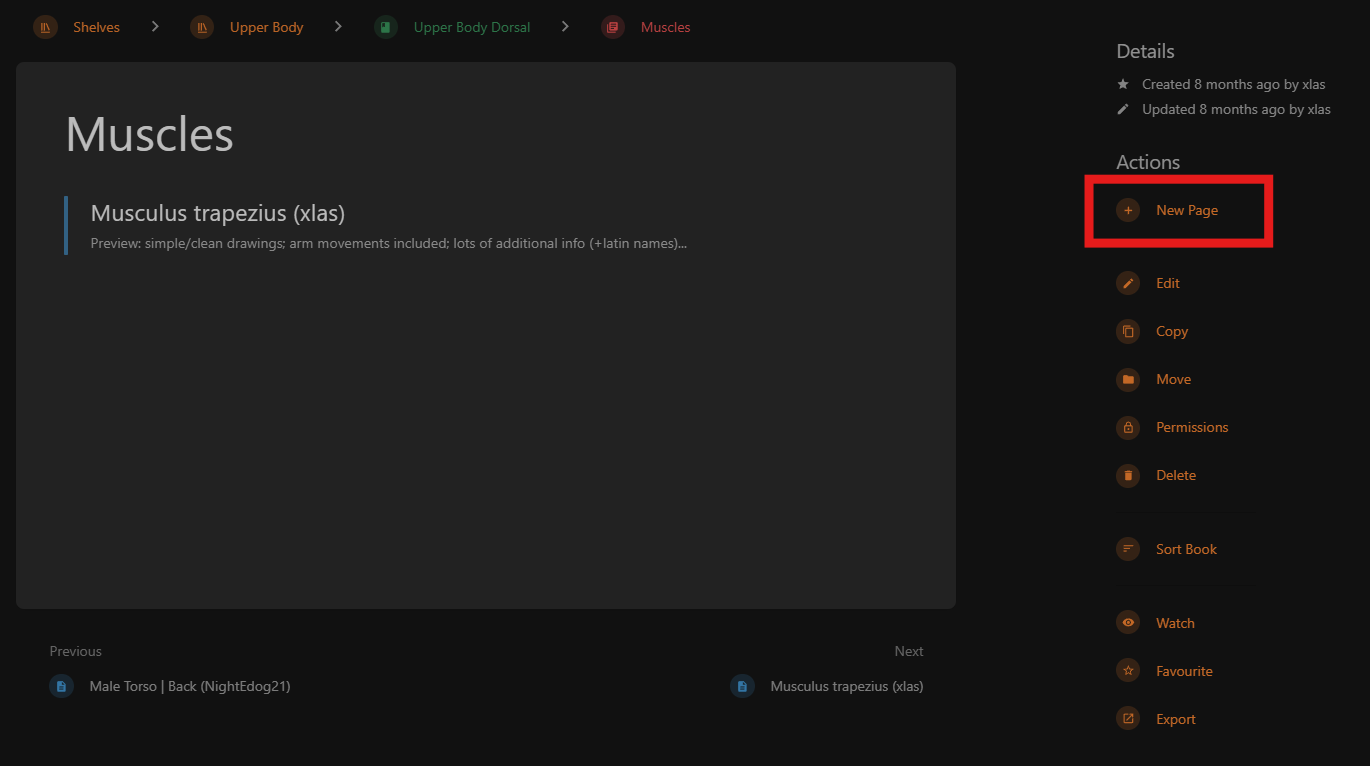
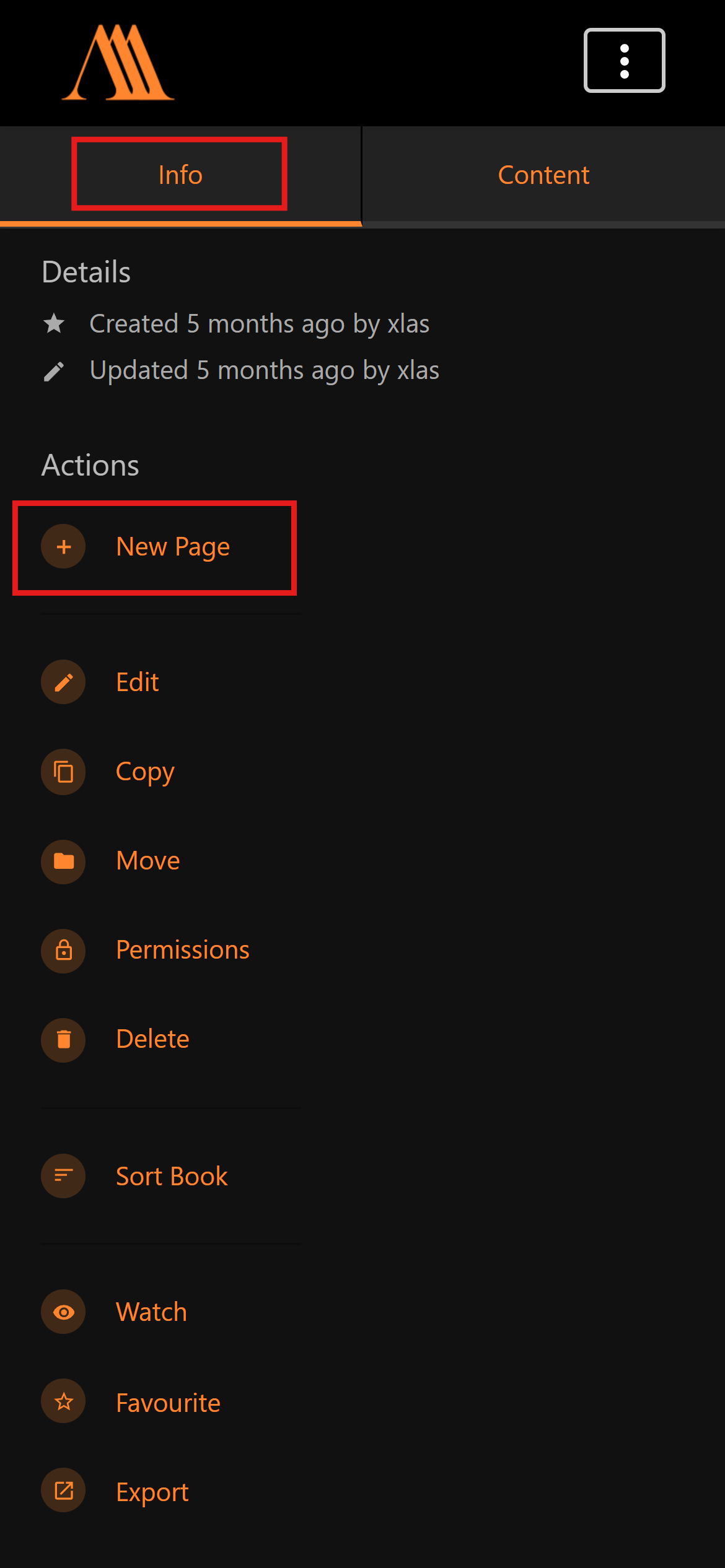
##### **Creating a New Complex Page**
PC:
[](https://www.anatomyarchive.org/uploads/images/gallery/2026-01/scaled-1680-/create-new-complex-page-pc-2.png)
Mobile:
[](https://www.anatomyarchive.org/uploads/images/gallery/2026-01/scaled-1680-/create-new-complex-page-mobile.png)
#### The **Basics** in under 5 minutes:
#### Need Help with the **Page Editor**?
### **Additional**
Additional Information
##### **Why?**
Help building the AnatomyArchive, so that one day it's the ultimate "Reference Book" (with the unique twist, that its written by many different people). Get your name out there. Connect with others that want to improve. Help other artists through your studies.
##### **Pinterest**
See **all Studies** side by side on [the AnatomyArchive Pinterest Board](https://www.anatomyarchive.org/books/random-pages/page/anatomyarchive-pinterest-board "AnatomyArchive Pinterest Board").
##### **Helpful pages**
1. [Reference Pictures](https://www.anatomyarchive.org/books/information-for-creator/page/reference-pictures "Reference Pictures") ~ 1 minute
2. [Terms of Use](https://www.anatomyarchive.org/books/about-the-anatomyarchive/page/terms-of-use "Terms of Use") ~ 1 minute
3. [Everything you need to know when creating](https://www.anatomyarchive.org/books/information-for-creator/page/everything-you-need-to-know-when-creating) ~ 3 minutes